takt labs

Production Etude

Made to be performed, not just generated.

A composition and performance assistant that turns a song idea into a validated arrangement — voicings, sound design, practice plan, and MIDI — tailored to how you make music.

Early access is open now — free, any instrument, any setup, any skill level. Sign up with your email and I'll send you a login, usually the same day. Get early access →

Watch: 90-second demo
coming soon

  1. 01Ideadescribe the song in a sentence
  2. 02Etudeget back a real lesson, not prose
  3. 03Performplay it at your tempo, on your instrument
  4. 04ExportMIDI, lyrics-box scaffold, print packet

/ features

01 compose

An idea, a musician, your setup

You tell it who you are, once: your artist identity, your production setup, the instrument you actually play — down to its actual register — and your skill profile. Describe a song in plain language — “dark, reverberant synth-pop around 112 BPM” — and those constraints travel with the idea into the model. What comes back fits your hands and your rig, whether that’s a weighted keyboard, a guitar, or a mouse and a DAW.
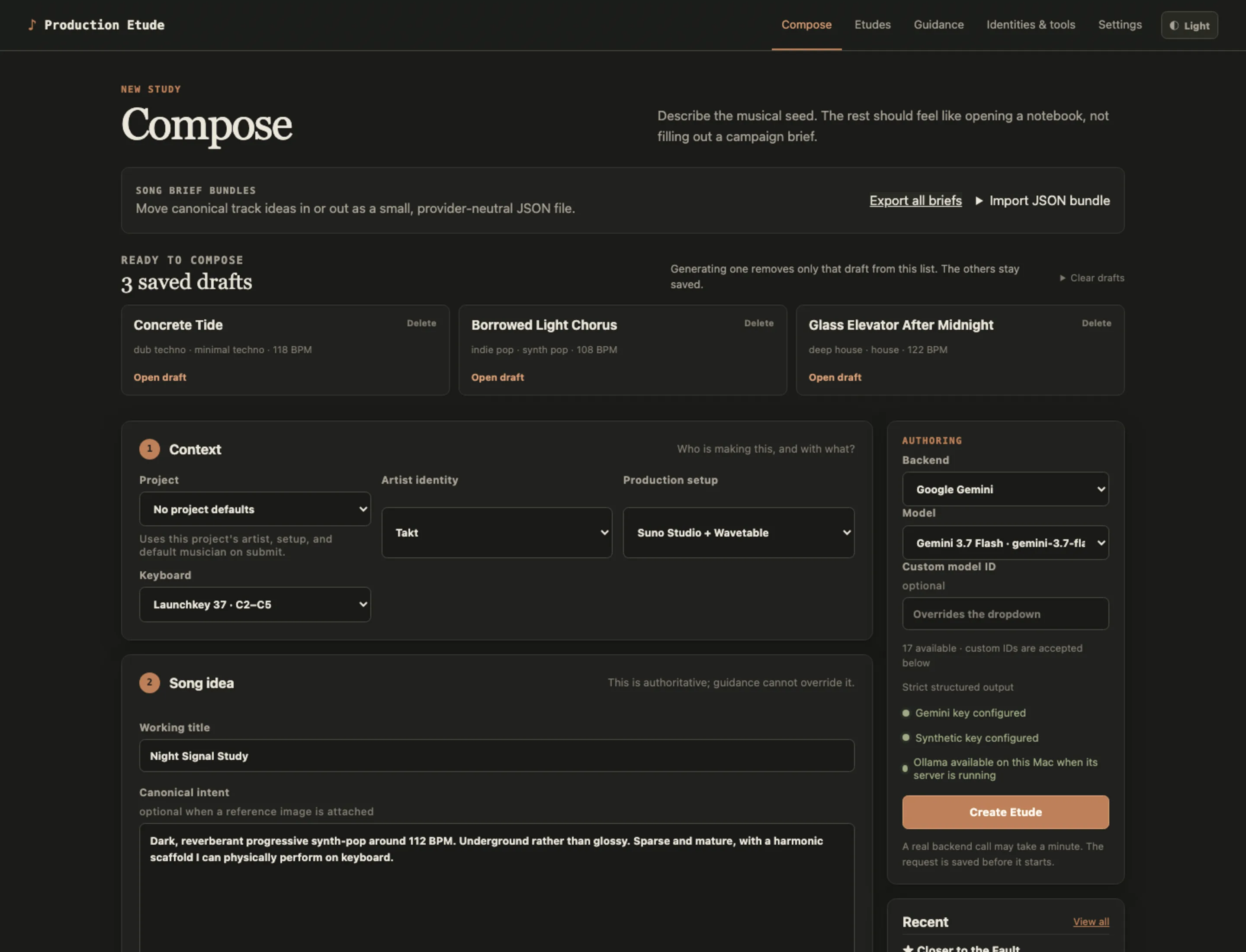
The Production Etude Compose page: a two-step form with project, artist identity, production setup, and instrument selectors above a free-text song idea field, plus an authoring sidebar showing backend and model dropdowns.

02 the etude

A real lesson, not prose

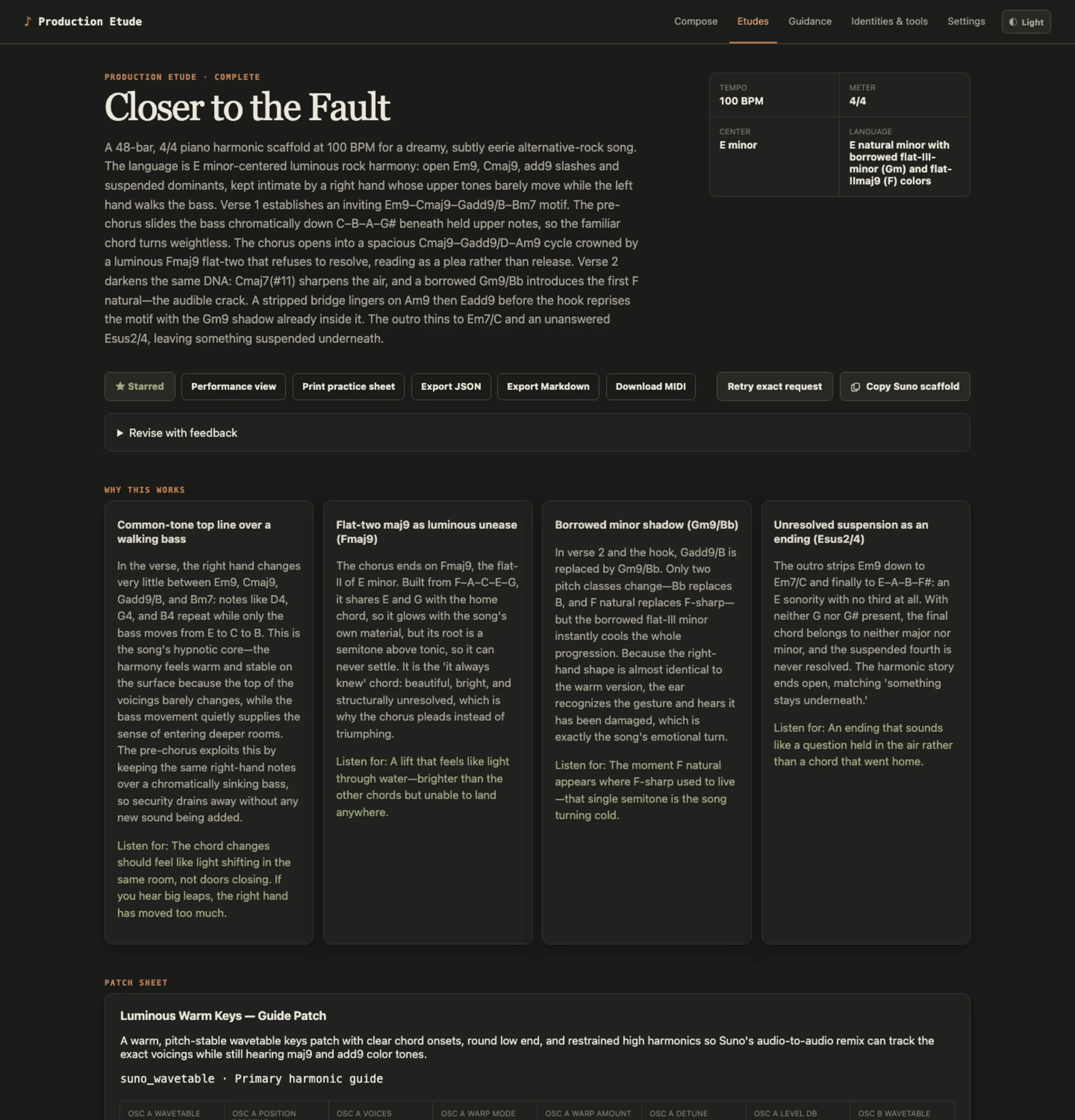
What comes back isn’t a paragraph of confident AI text — it’s a structured lesson that checks its own work before it ever reaches you. Theory notes explain why the harmony works. Patch sheets give actual parameter values for your software instruments. The arrangement is labeled bar by bar.

An Etude detail page showing a facts row for tempo, meter, and key, action buttons for performance view, print, and export, then four theory cards explaining the harmony and a patch sheet with a synthesizer parameter grid.

03 performance view

Made to be played, not just generated

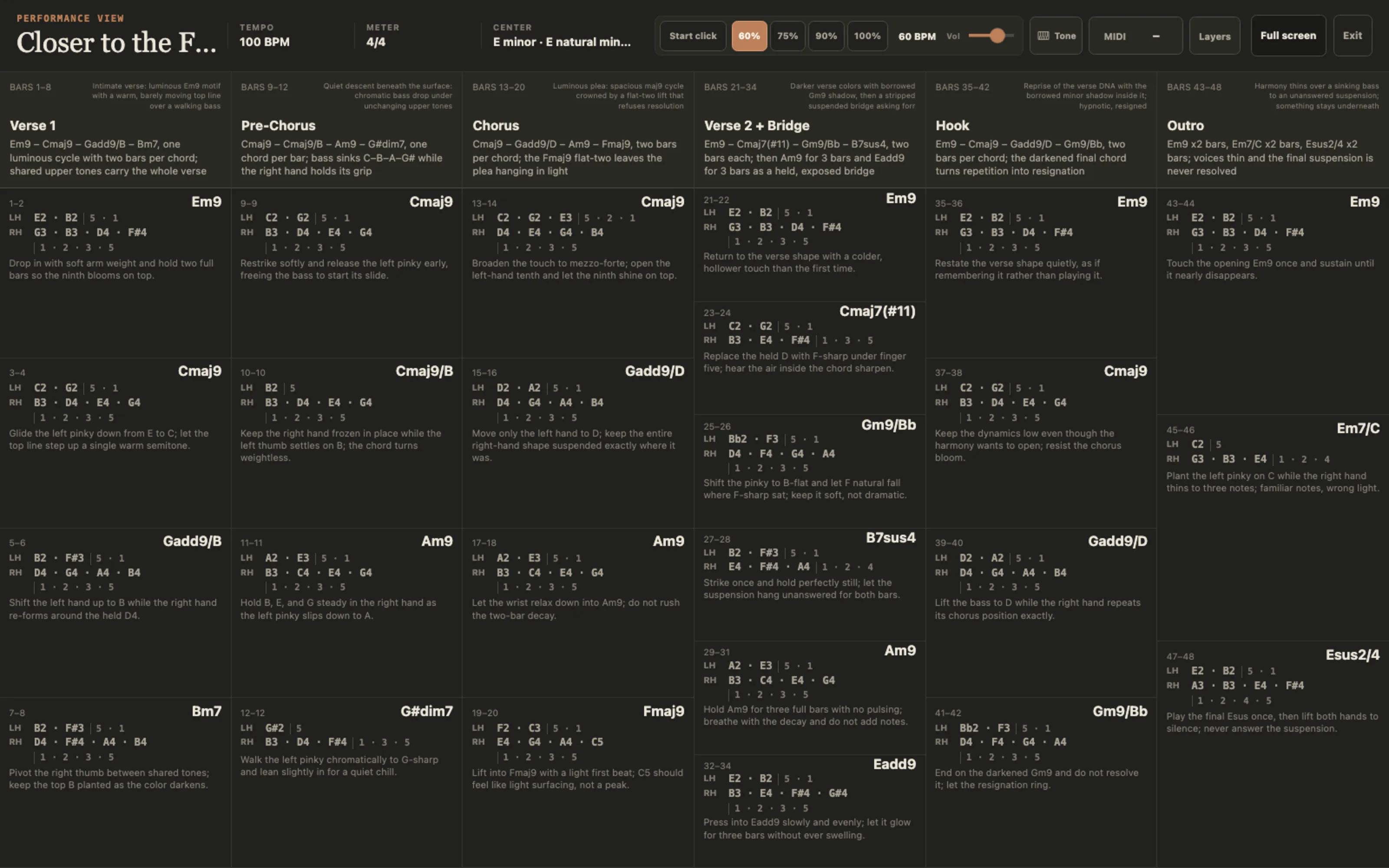
Every Etude opens as a full-screen score: voicings with fingering, bar-numbered sections, and a performance cue written for every chord — where to release, when to soften, which note carries the change. A tempo-stage metronome walks you up from 60% to full speed, a Web MIDI monitor watches your controller if you have one, and a built-in practice tone sounds the notes as you play them — you can rehearse right in the browser, no DAW or synth plugged in. Play the part on whatever instrument you know — keyboard, guitar, anything. This is the part generative music tools skip: what you made is something you can actually perform.

The performance view: a full-width horizontal score with section lanes for verse, pre-chorus, chorus, and so on, each event box showing the notes with fingering and a short performance cue, with a metronome and layers toolbar across the top.

04 exports

Files you own

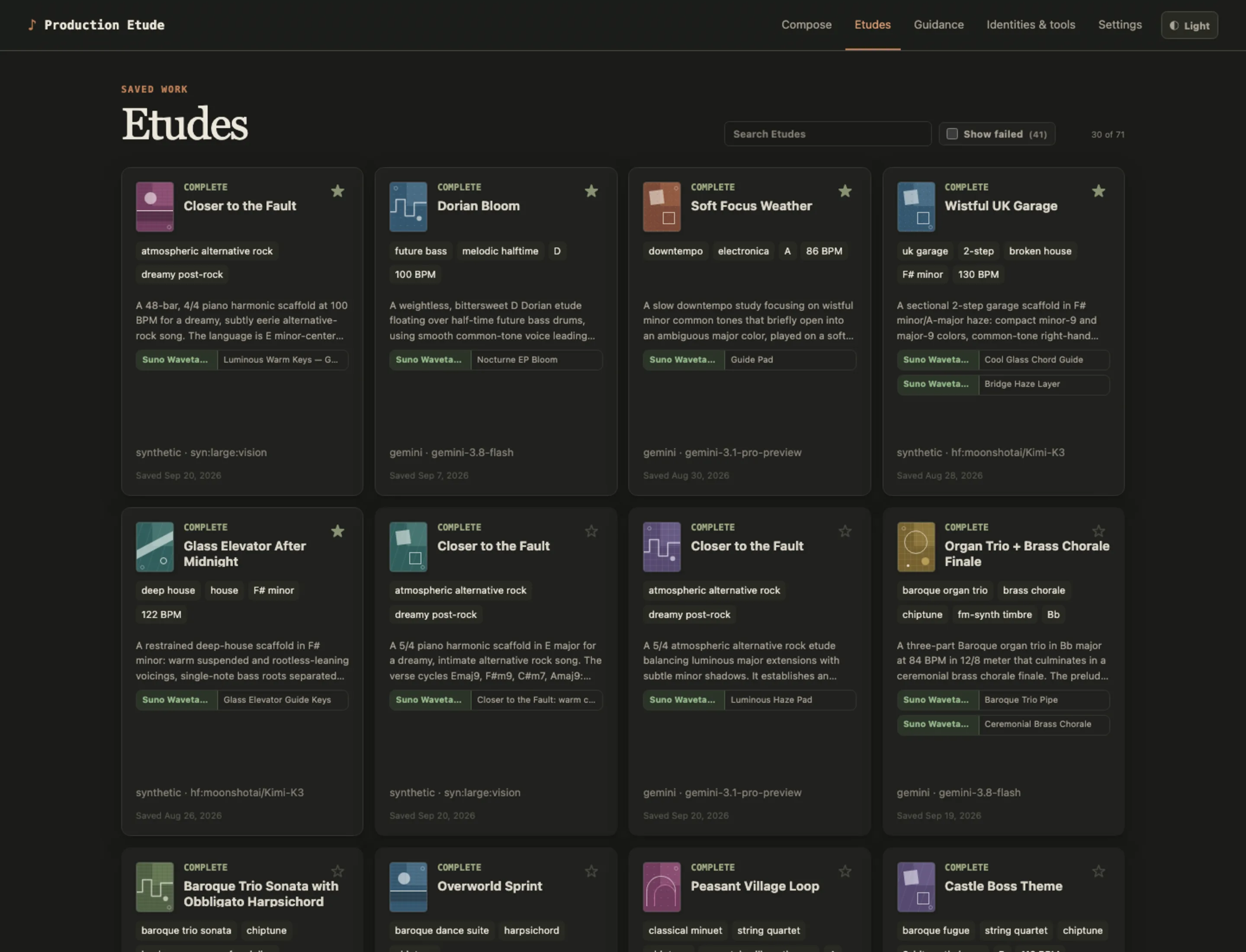
Standard MIDI files that drop straight into your DAW — FL Studio, Ableton, Reaper, a free one, whatever you run. A measure-aligned chord scaffold formatted to paste directly into your AI music tool’s lyrics box, ready for the next generation pass — render the MIDI to audio and upload it, and this works with Suno on the free plan. A two-page print-ready practice packet for the stand next to your instrument. Everything exports as plain files — yours to keep, remix, and reuse wherever you make music.

The Etudes library: a grid of cards with generated folio marks, genre and tempo tags, instrument pills, and a search field, each card linking to a full Etude.

/ works with what you have

Free while in testing — any instrument, any setup, your input on the roadmap.

Get early access →

/ early access

Early access is open.

Sign up with your email and I'll send you a login — usually the same day, and that's the whole form. Free while in early access; try it and see if it fits how you make music. No instrument required, no skill bar, no newsletter.